GPT Image 2.6 Free Online Generator with Flare and Sunburst
Yes, you can use GPT Image 2.6 free here: sign up and get 10 credits, enough for your first image. After that, each image costs 10 credits. Pick Sunburst for detail or Flare for speed, and start from a prompt or up to 16 reference images.
seedream.best is an independent platform that provides GPT Image 2.6 through API access. It is not an OpenAI website and is not affiliated with, endorsed by or sponsored by OpenAI.
Richer detail and more consistent successive edits
Preview
Preview
Generated images will appear here
Richer detail and more consistent successive edits
Preview
Preview
Generated images will appear here
What is GPT Image 2.6?
GPT Image 2.6 is OpenAI's newest image model, released on November 4, 2026. It creates images from text and edits images you upload. The API offers two versions: gpt-image-2.6-flare for fast iteration and gpt-image-2.6-sunburst for detailed visual work.
OpenAI says it generates images 50% faster than before and adds animated GIF output. Flare improves layout quality for posters and product images. Sunburst keeps details more consistent across edits at medium or high quality.
This page runs both models in your browser, with Sunburst selected by default.
- Text to Image and Image to Image, with up to 16 reference images.
- Auto plus 15 aspect ratios, from 1:3 to 3:1.
- One image per run at medium quality: 1K with a ratio preset; with auto, the model sets the size.
GPT Image 2.6 examples
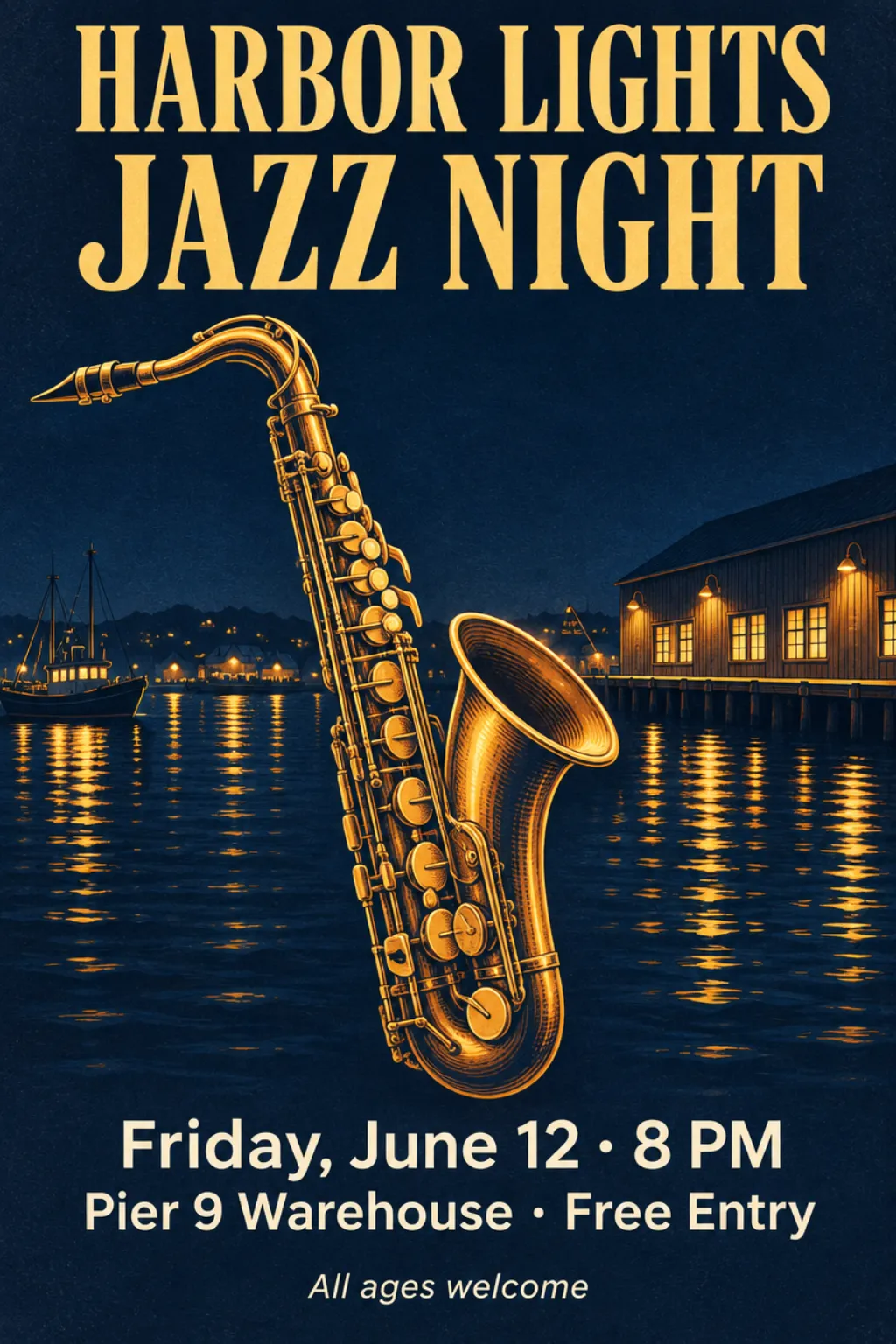
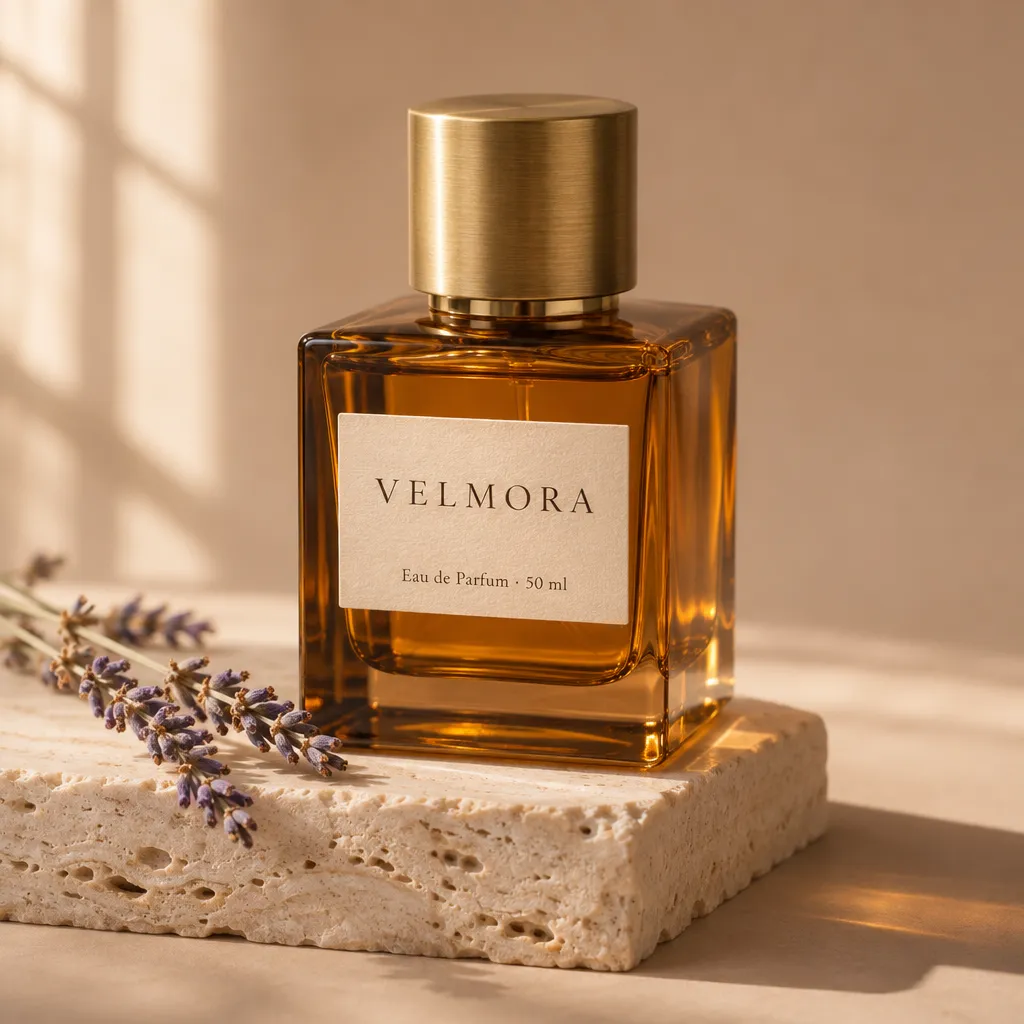
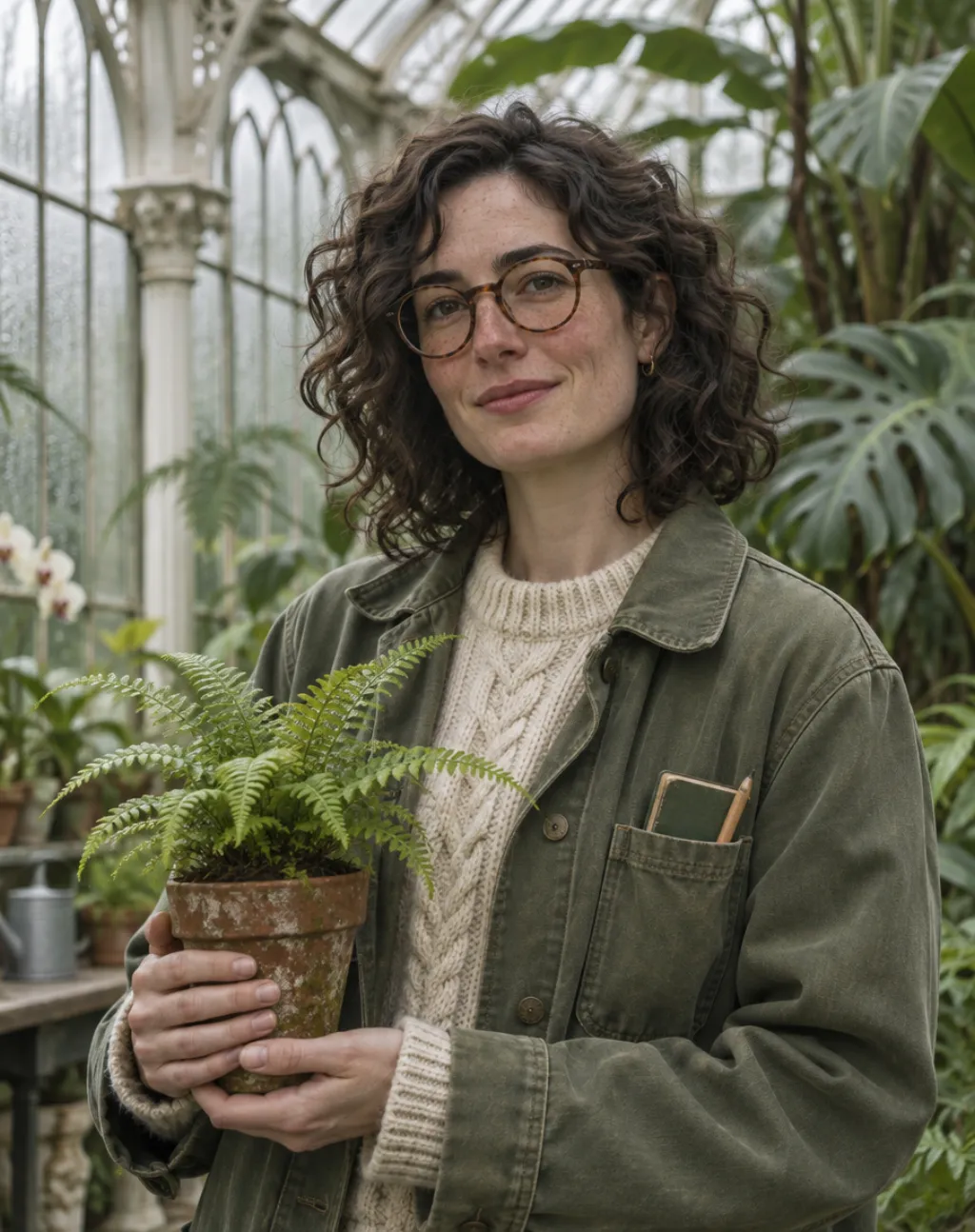
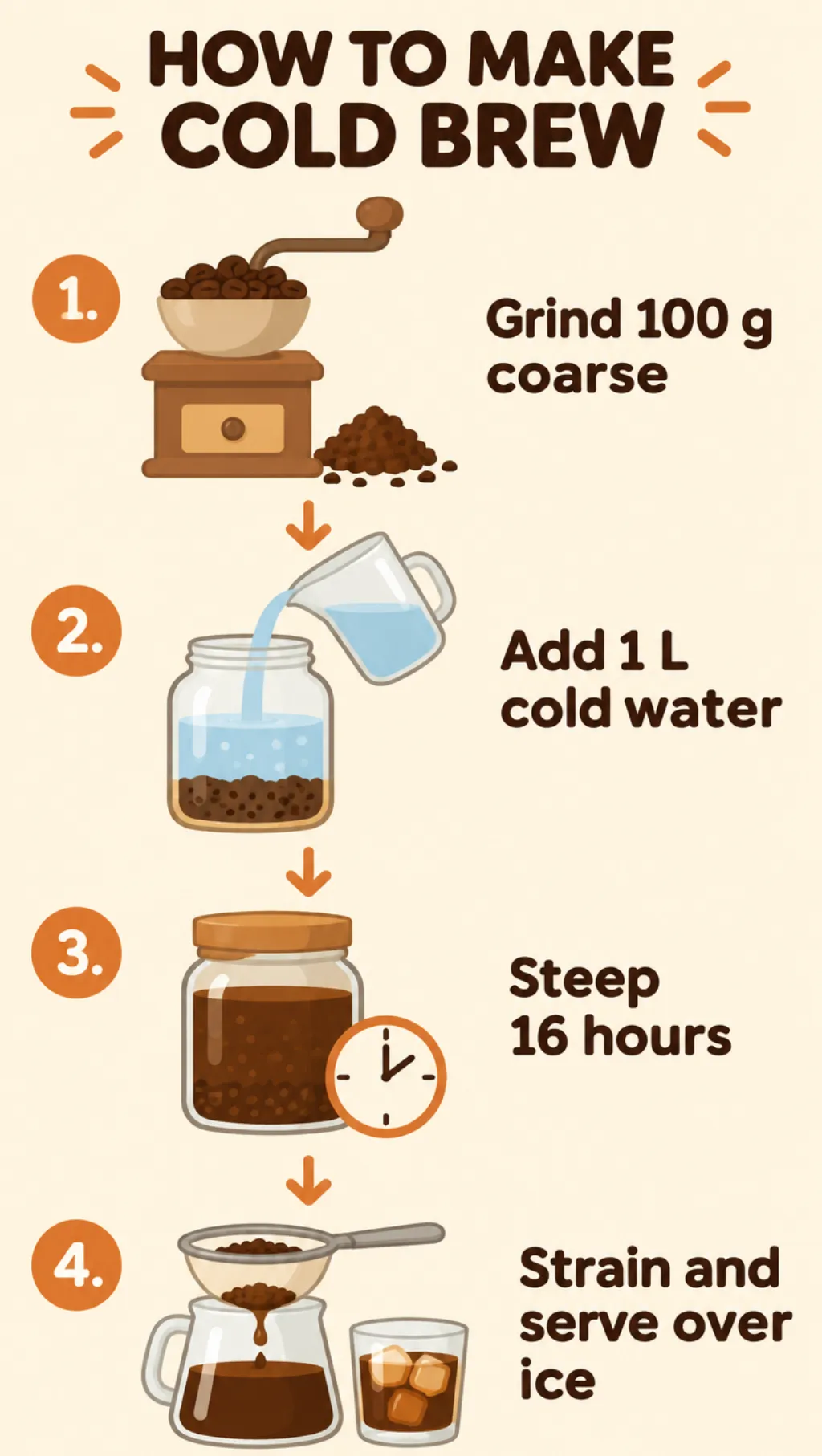
We made these with GPT Image 2.6. The 10 still images use the generator's settings: medium quality and 1K at the chosen aspect ratio. Eight are text to image and two edit an earlier result. The GIF is 512×512 pixels, 9 frames at 200 ms each, a 1.8-second loop. Each card lists the model and prompt. You can reuse any still-image prompt in the generator above; the GIF only shows what the GPT Image 2.6 API can do, since this generator does not make GIFs yet.
Prompt
Vertical concert poster for a fictional event. Deep navy background with a large stylized saxophone drawn in warm gold linework, surrounded by soft harbor lights reflected on dark water. Headline at the top in bold condensed serif capitals: "HARBOR LIGHTS JAZZ NIGHT". Below the illustration, in clean sans-serif type: "Friday, June 12 · 8 PM", and on the next line "Pier 9 Warehouse · Free Entry". One small line at the very bottom: "All ages welcome". Balanced margins, crisp print-ready typography, subtle paper grain. No other text, no logos.
Prompt
Luxury product photograph of a square amber glass perfume bottle with a brushed brass cap, standing on a block of pale travertine stone. A cream paper label on the bottle reads "VELMORA" in thin serif capitals, with "Eau de Parfum · 50 ml" in small type beneath. Soft morning window light from the left, a long gentle shadow, a sprig of dried lavender lying beside the stone, warm beige seamless background. 100mm macro lens look, shallow depth of field, realistic glass reflections and refraction. No other text.
Prompt
Editorial portrait of a fictional botanist, a woman in her early thirties, standing in a Victorian glass greenhouse. She has curly shoulder-length dark hair, light freckles and round tortoiseshell glasses, and wears a sage-green canvas work jacket over a cream knit sweater. She holds a small potted fern and looks at the camera with a calm half smile. Tall tropical plants and misted glass panes behind her, soft overcast daylight, natural skin texture, 85mm lens look, shallow depth of field, palette of greens and creams.
Prompt
Vertical infographic titled "HOW TO MAKE COLD BREW" in bold rounded sans-serif at the top. Four numbered steps run from top to bottom, each with a simple flat illustration and a short label: "1. Grind 100 g coarse", "2. Add 1 L cold water", "3. Steep 16 hours", "4. Strain and serve over ice". Warm cream background, coffee-brown and soft orange accents, thin arrows connecting the steps, generous spacing, clean grid alignment. No other text, no logos.
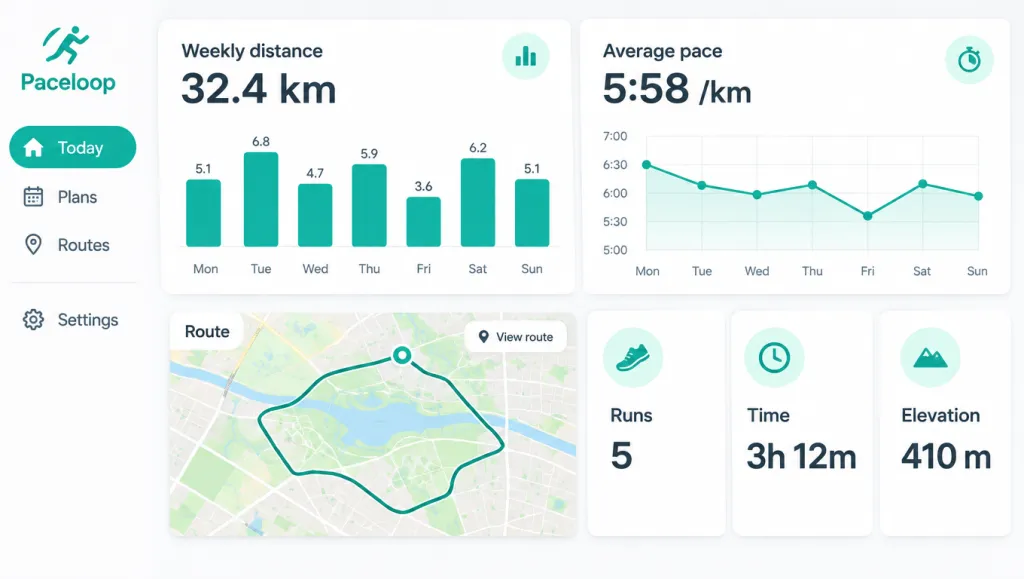
Prompt
Desktop web app dashboard mockup for a fictional running app called "Paceloop". Left sidebar with icons and the labels "Today", "Plans", "Routes" and "Settings". The main area shows a large card "Weekly distance 32.4 km" with a Monday-to-Sunday bar chart, a line chart labeled "Average pace", a map card with a looping route, and three small stat cards: "Runs 5", "Time 3h 12m", "Elevation 410 m". Light theme, white cards with soft shadows, one teal accent color, clean modern sans-serif, tidy grid alignment, realistic UI screenshot, no browser frame.
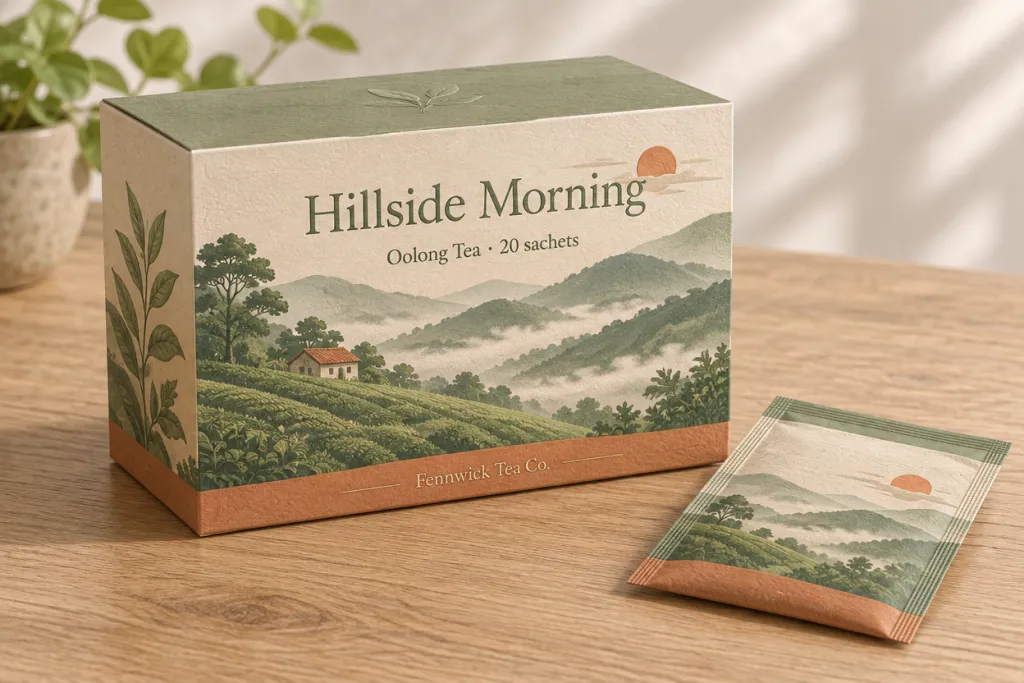
Prompt
Packaging mockup of a rectangular tea box shown at a three-quarter angle on a light oak table, with a matching pouch lying beside it. The box front has a hand-drawn illustration of misty green hills and a small sun, the title "Hillside Morning" in elegant serif type, the subtitle "Oolong Tea · 20 sachets" below it, and "Fennwick Tea Co." in small type at the bottom. Muted sage, cream and terracotta palette, matte paper texture with light embossing, soft natural daylight, realistic product photography. No other text.
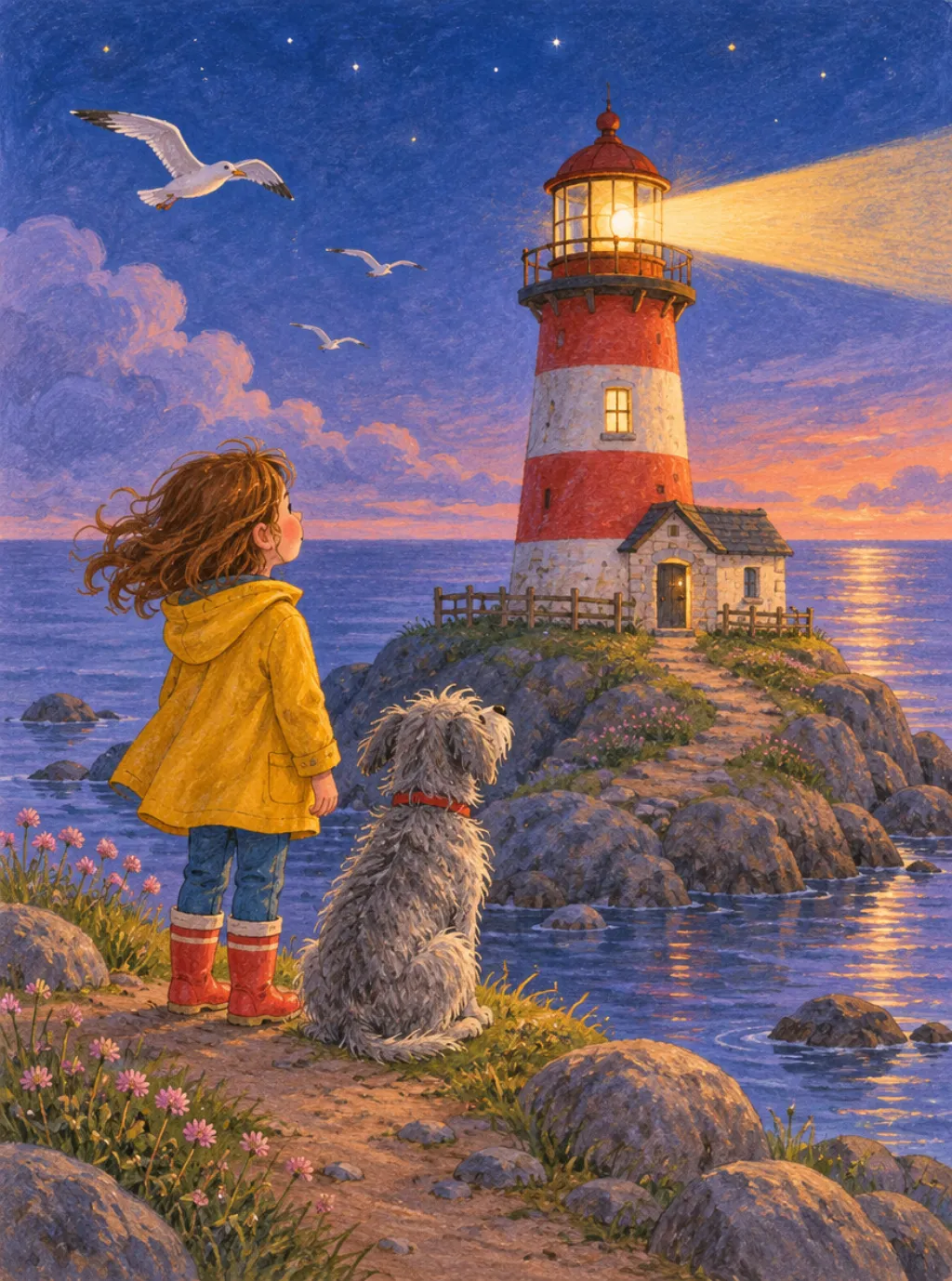
Prompt
Children's storybook illustration of a small red-and-white lighthouse on a rocky island at dusk. A little girl in a yellow raincoat and her shaggy grey dog stand on the path, watching the first beam of light sweep across a calm violet sea. Seagulls, a few early stars and soft clouds above. Gouache and colored-pencil texture, warm lamplight against cool evening blues, gentle rounded shapes, cozy mood. No text.
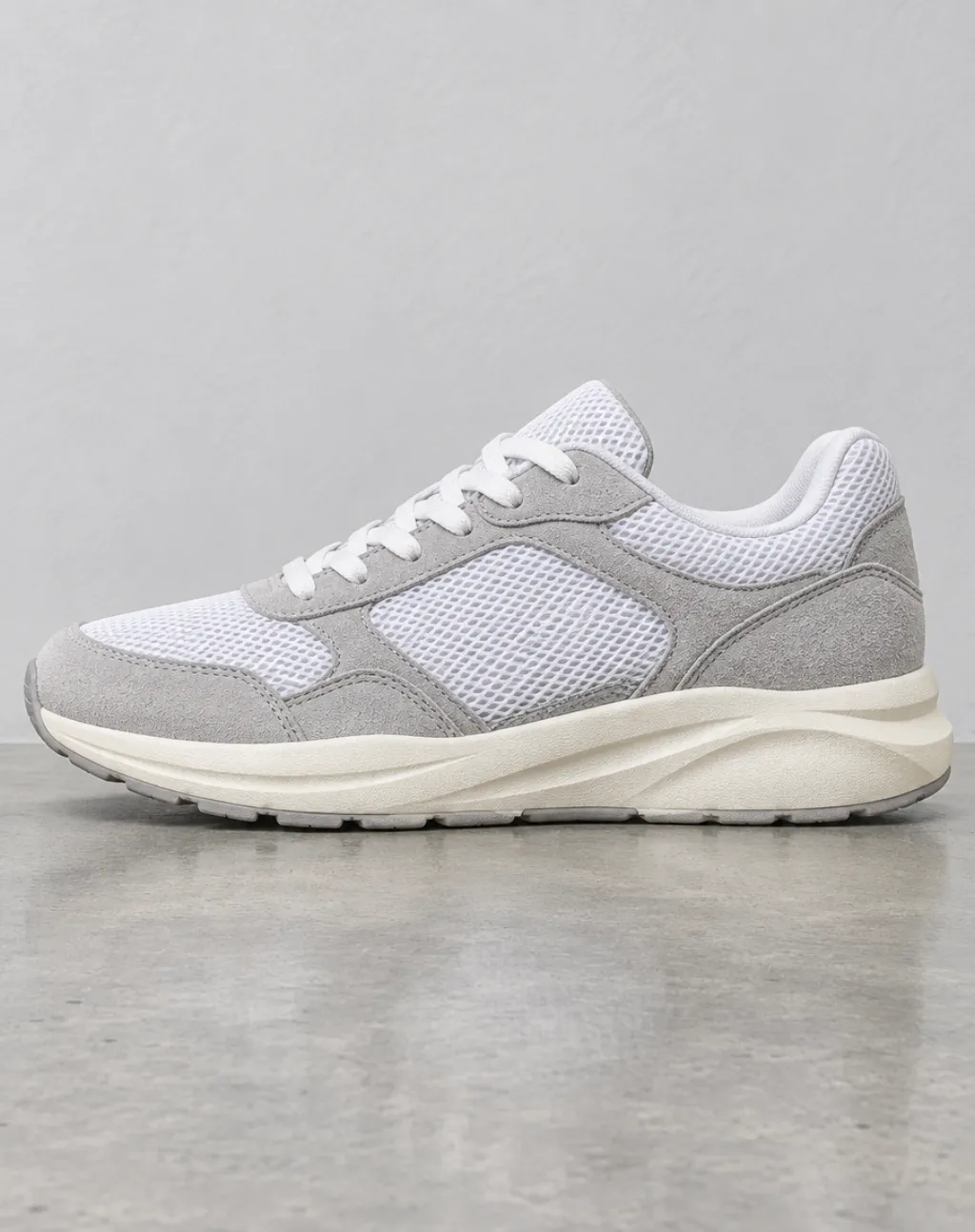
Prompt
Clean e-commerce product photo of a single low-top running sneaker in white mesh with light grey suede overlays and a chunky off-white foam sole, shown in side profile facing left. It sits on a smooth polished concrete floor against a pale grey wall. Soft diffused studio light from above, a subtle contact shadow, crisp detail on the stitching and mesh texture. No logos, no text.
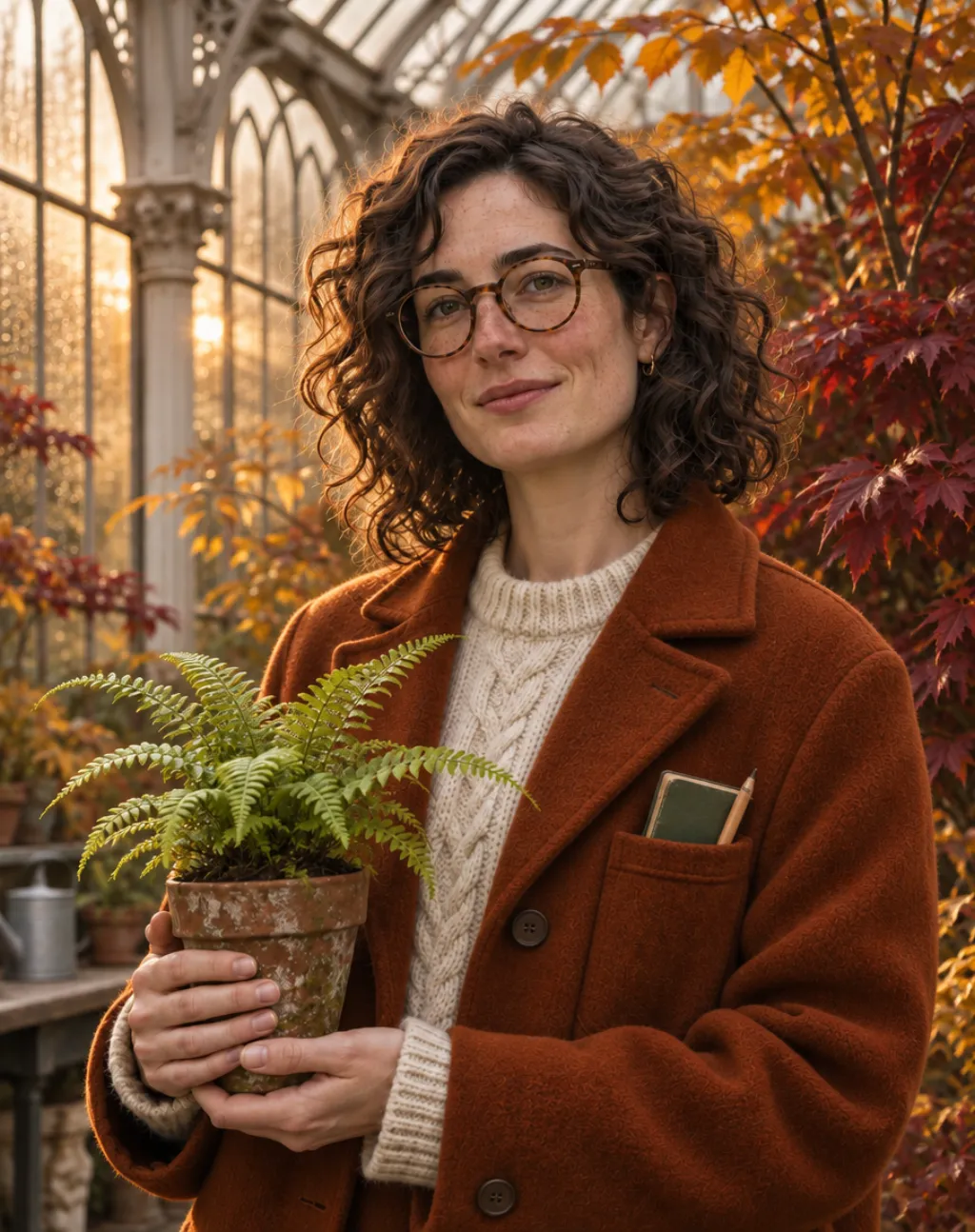 Sunburst, 4:5: a character portrait, used as the reference for the Sunburst edit.
Prompt
Edit this photo. Keep the same woman exactly: her face, curly hair, freckles, round tortoiseshell glasses, expression and pose, the potted fern in her hands, the camera angle and the framing. Change only two things: replace her sage-green canvas jacket with a rust-orange wool coat, and turn the plants behind her into autumn foliage in amber and deep red, with warm late-afternoon sunlight coming through the glass. Keep everything else unchanged.
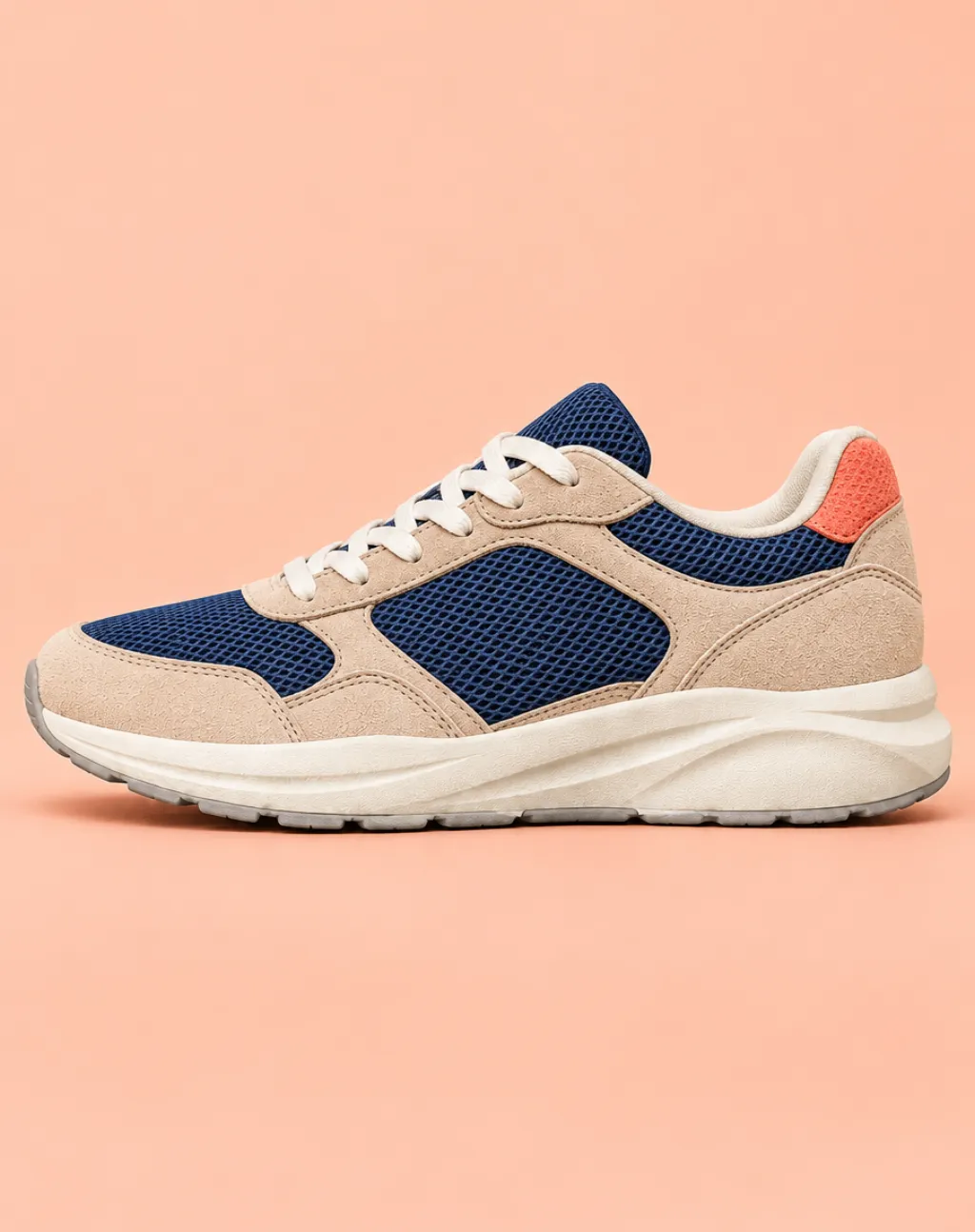 Flare, 4:5: a product photo, used as the reference for the Flare edit.
Prompt
Edit this product photo. Keep the sneaker's shape, proportions, stitching, sole, side-profile camera angle and lighting exactly as they are. Change the upper from white mesh to deep navy mesh, make the suede overlays a warm sand beige, and add a coral heel tab. Replace the concrete floor and grey wall with a seamless soft peach studio backdrop. Do not add any logos or text.
Prompt
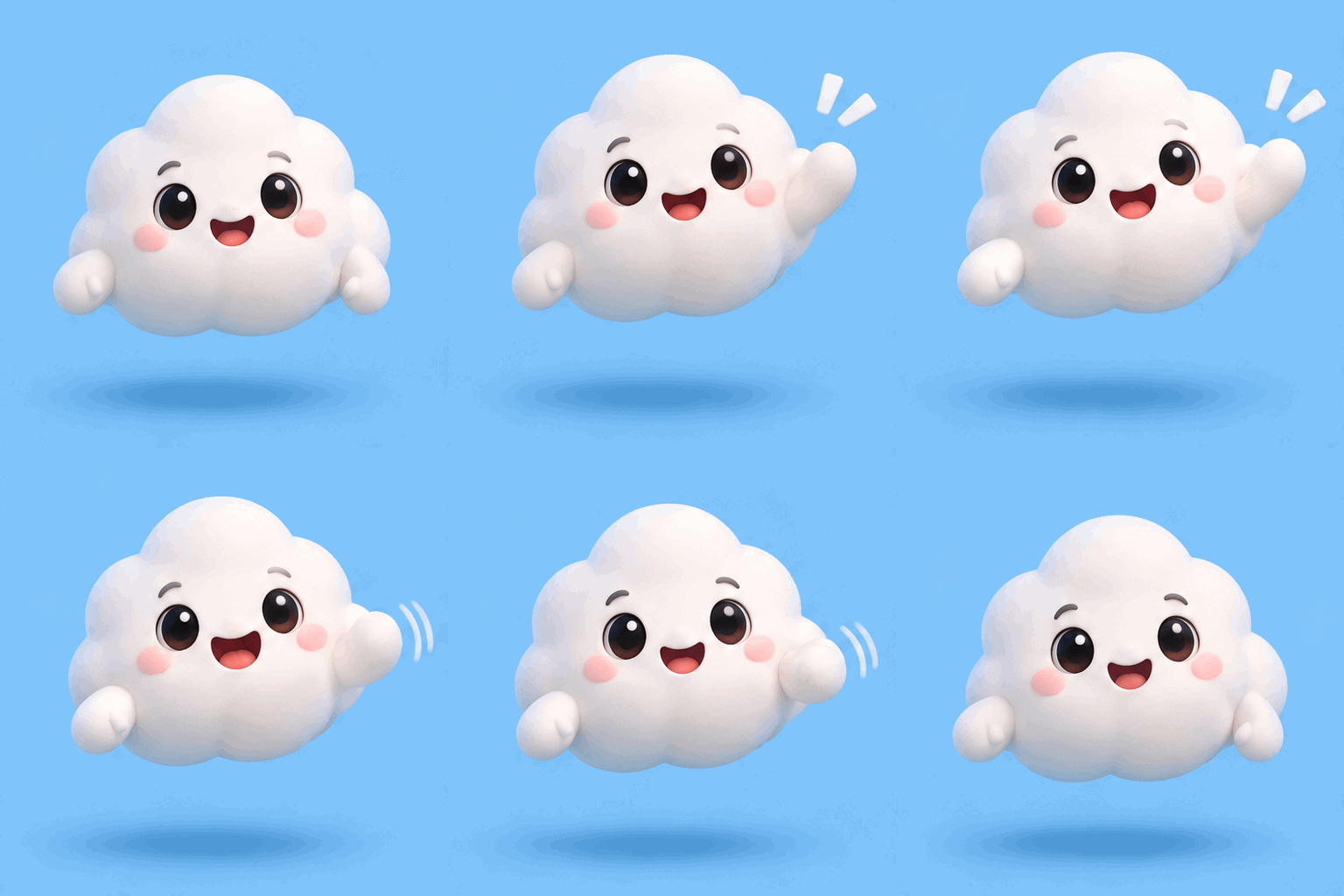
Seamless looping animation of a friendly round cloud mascot with small stubby arms, rosy cheeks and big glossy eyes, floating in front of a flat pastel sky-blue background. The sequence: it bobs gently, waves hello with one arm, blinks, smiles wider, then lowers its arm and returns to its starting pose so the last frame leads smoothly into the first. Fixed camera, the same character and background in every frame, soft 3D toy style, clear step-by-step motion. No text, no logos.
How to use GPT Image 2.6 free online
Your first image is free.
Sign in
Click Sign In with Google. New accounts get 10 credits, enough for one image.
Pick a model
Sunburst is the default. Switch to Flare for faster drafts.
Choose a mode and ratio
Use Text to Image, or Image to Image with up to 16 references. Pick auto or one of 15 aspect ratios.
Write the prompt
Name the subject, setting, style and light. Put any words that must appear in quotes. For edits, say what to keep and what to change.
Create and download
Click Create Image. Each run makes one image for 10 credits and saves it to My Creations for download.
GPT Image 2.6 specs and settings
Here is what the GPT Image 2.6 API supports and what this site's generator uses.
The 15 presets are 1:1, 2:3, 3:2, 3:4, 4:3, 4:5, 5:4, 9:16, 16:9, 1:2, 2:1, 1:3, 3:1, 9:21 and 21:9. With auto, the model picks the size. OpenAI notes that complex prompts can take up to two minutes.
| Setting | GPT Image 2.6 API | This site's generator |
|---|---|---|
| Models | gpt-image-2.6-flare, gpt-image-2.6-sunburst | Both (Sunburst by default) |
| Modes | Text to image, image to image, mask edits, markup edits | Text to image, image to image |
| Reference images | Up to 16 per request | Up to 16 |
| Aspect ratios | 15 presets or auto | 15 presets or auto |
| Resolution | 1K, 2K or 4K (4K is about 8.29 MP, longest edge 3,840 px) | 1K with a ratio preset; model-chosen with auto |
| Quality | low, medium, high, xhigh, max | medium |
| Animated GIF | 2–16 frames, 20–2,000 ms per frame | Not yet |
| SVG output | Offered in OpenAI's API | Not offered |
Flare vs Sunburst: which GPT Image 2.6 model to use
Use Sunburst when detail matters or you plan several rounds of edits. Use Flare for speed and quick drafts. Both cost 10 credits per image here.
This site runs both models at medium quality, one of the settings where OpenAI says Sunburst holds details across edits. In our 11 example runs here, Flare took 9.5–14.9 seconds per task and Sunburst 22.8–29.1 seconds. A simple workflow: explore with Flare, then finish and edit with Sunburst.
| GPT Image 2.6 Flare | GPT Image 2.6 Sunburst | |
|---|---|---|
| Built for | Fast iteration | Detailed visual work |
| Speed | As little as 6 seconds at low quality, per OpenAI | Slower than Flare |
| Strength | Layout quality for posters and product images | Details that stay consistent across edits at medium or high quality |
| Good for | Drafts, variations, social posts, layout tests | Final images, product shots, portraits, multi-step edits |
| API token price | Same as Sunburst | Same as Flare |
GPT Image 2.6 GIF output
GPT Image 2.6 adds animated GIF output. In the API you choose 2 to 16 frames and 20 to 2,000 ms per frame; the defaults are 9 frames at 200 ms. A GIF can start from a text prompt or from still reference images.
OpenAI pitches GIFs for brand mascots, reactions, memes and testing character motion before video production.
This site's generator makes still images only for now. Our GIF example was made through the API with Flare: 512×512 pixels, 9 frames at 200 ms, a 1.8-second loop. Three prompt habits help:
- Describe one small motion, such as a wave, a blink or rising steam.
- Keep the camera, character and background fixed.
- Ask for the last frame to lead smoothly back into the first.
GPT Image 2.6 vs GPT Image 2.5 vs GPT Image 2
GPT Image 2.6 keeps the Flare and Sunburst split from 2.5 and the same API token rates. What is new: more speed, GIF and SVG output, and a complexity control. A dash means OpenAI does not list the feature for that model.
Equal token rates do not mean equal cost per image, since token use varies by model and quality. On this site, every model costs 10 credits per image.
| GPT Image 2.6 | GPT Image 2.5 | GPT Image 2 | |
|---|---|---|---|
| Released | Nov 4, 2026 | Sep 8, 2026 | Apr 21, 2026 |
| API models | Flare and Sunburst | Flare and Sunburst | One model (gpt-image-2) |
| Speed, per OpenAI | 50% faster than before | Up to 50% lower latency than Images 2.0 | — |
| Animated GIF | Yes, 2–16 frames | — | — |
| SVG output | Yes | — | — |
| Complexity control | low, medium, high | — | — |
| Quality levels | low to max (5 levels) | low to max (5 levels) | low to high (3 levels) |
| API price, image output | $30 per 1M tokens | $30 per 1M tokens | $30 per 1M tokens |
| On seedream.best | Flare and Sunburst | Not offered | Yes, on its own page |
What you can make with GPT Image 2.6
These match what OpenAI highlights for 2.6 and what the generator supports today.
- Posters and flyers with readable headlines. Quote the exact words and check spelling; OpenAI notes that text placement can still slip.
- Product photos and packaging mockups.
- Portraits and characters restyled across edits with Sunburst.
- App screens and dashboard mockups.
- Infographics and labeled diagrams.
- Illustrations for blogs, stories and social posts.
- Photo edits: a new background, color or season, with everything else kept.
GPT Image 2.6 free trial, pricing and ChatGPT Free
Your first GPT Image 2.6 image here is free: new accounts get 10 credits, and one image costs 10 credits. It is a one-image trial.
After that, you buy credits. Credit packs never expire; subscription credits arrive monthly and expire at month end. Credits for failed generations are refunded automatically.
So one image costs about $0.05 to $0.13 here: $0.048 on Max billed yearly, $0.125 with the Basic pack.
ChatGPT Free also includes GPT Image 2.6: OpenAI rolled Images 2.6 out to all ChatGPT tiers, lists Free image creation as limited and gives no fixed number. How the two compare:
- Price: ChatGPT Free is $0 within its limit. Here, each image after the free one costs 10 credits.
- Model: you choose Flare or Sunburst for each image.
- Controls: auto or 15 aspect ratios, and up to 16 reference images.
- Storage: results go to My Creations.
- GIFs: ChatGPT has them; this generator makes still images for now.
| Option | Price | Credits | Images | Cost per image |
|---|---|---|---|---|
| Basic pack | $15 once | 1,200 | 120 | $0.125 |
| Standard pack | $30 once | 2,600 | 260 | $0.115 |
| Premium pack | $80 once | 8,000 | 800 | $0.100 |
| Enterprise pack | $200 once | 24,000 | 2,400 | $0.083 |
| Starter, monthly | $10/month | 1,000/month | 100/month | $0.100 |
| Pro, monthly | $19/month | 2,000/month | 200/month | $0.095 |
| Max, monthly | $39/month | 6,000/month | 600/month | $0.065 |
| Max, yearly | $349/year | 6,000/month | 7,200/year | $0.048 |
GPT Image 2.6 FAQ
Is GPT Image 2.6 free?
Yes, for your first image. New accounts get 10 credits, and each GPT Image 2.6 image costs 10 credits. After that, you buy credits or a plan.
How much does each GPT Image 2.6 image cost?
10 credits, or about $0.05 to $0.13 depending on the plan: $0.048 on Max billed yearly, $0.125 with the $15 Basic pack. Credits for failed generations are refunded.
Should I use GPT Image 2.6 Flare or Sunburst?
Sunburst for detail and multi-step edits, Flare for speed. OpenAI says Flare can finish in as little as six seconds at low quality, and Sunburst holds details across edits at medium or high quality.
Can GPT Image 2.6 make GIFs?
Yes, in OpenAI's API and in ChatGPT, but not in this site's generator yet. The API makes GIFs of 2 to 16 frames at 20 to 2,000 ms each. Our example GIF was made through the API.
How is this different from GPT Image 2.6 in ChatGPT Free?
ChatGPT Free costs nothing but limits image creation, with no number listed. Here your first image is free, later ones cost 10 credits, and you choose the model, the aspect ratio and up to 16 references.
What is the latest GPT Image version?
GPT Image 2.6, as of November 2026. OpenAI released it on November 4, 2026, after GPT Image 2.5 (September 8, 2026) and GPT Image 2 (April 21, 2026).
Can I edit an image or use image to image?
Yes. Choose Image to Image, upload up to 16 reference images and say what to change and what to keep. Mask and markup edits are API features this generator does not offer.
What size and quality are the images?
Medium quality, at 1K when you pick an aspect ratio, so 1:1 is 1024×1024 pixels. With auto, the model sets the size. The API reaches 4K, but this generator does not offer 2K or 4K for GPT Image 2.6.
Do I need an OpenAI account or API key?
No. You sign in to seedream.best with Google and pay in site credits. No OpenAI account, API key or ChatGPT plan is needed.
Is seedream.best affiliated with OpenAI?
No. seedream.best is an independent platform that offers GPT Image 2.6 through API access. It is not affiliated with or endorsed by OpenAI.